Tutorial: Check if Your Website Is Connected to Google & Microsoft
This tutorial is for non-technical business owners. You are not expected to edit DNS or code. Your only job is to check whether your website already appears in Google Search Console and Microsoft Bing Webmaster Tools.
If your URL does not appear, simply send a short message to your web developer or website builder and ask them to connect it for you.
Part 1 – Check Your Website in Google Search Console
- Step 1 – Open Google Search Console
Go to https://search.google.com/search-console and sign in with your Google (Gmail) account. - Step 2 – Click the small arrow and look for your website URL
At the top left, click the small arrow next to the domain name. A dropdown will open.- If your website URL is listed: Google already knows your site. No further action is needed from you.
- If your website URL is not listed: click “Add property”, type your website address, and click Continue. If Google says it cannot verify, your developer must complete the connection.
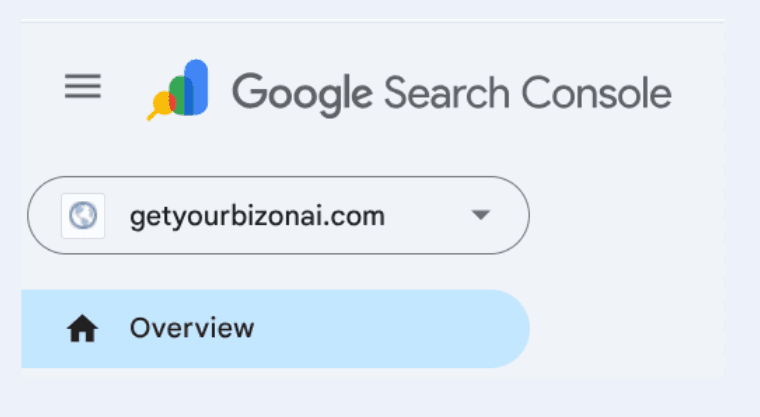
Example: Google Search Console with the domain dropdown. Click the arrow and see if your website appears in the list.
Part 2 – Check Your Website in Microsoft Bing Webmaster Tools
- Step 1 – Open Bing Webmaster Tools
Go to https://www.bing.com/webmasters and sign in with your Microsoft, Google, or Facebook login. - Step 2 – Check if your website appears in the site dropdown
At the top, click the site selector / dropdown.- If your website URL appears: your site is already connected to Bing (and Microsoft Copilot).
- If it does not appear: click “Add a site”, type your website URL, and follow the on-screen steps. If Bing cannot verify automatically, your developer must complete the verification.
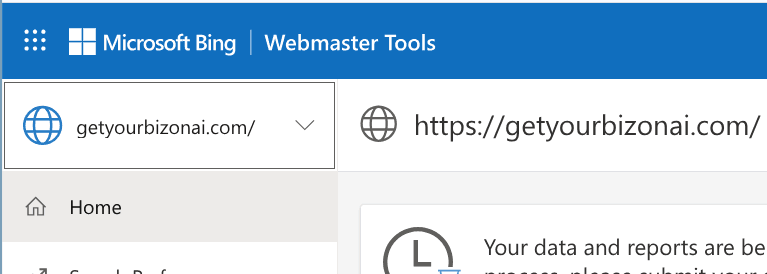
Example: Microsoft Bing Webmaster Tools. Use the site dropdown to see whether your website is already connected.
If your website is not listed
If your URL does not appear in Google or Bing, do not try to change DNS or code yourself. Simply send this message to your developer or website builder:
Please connect and verify my website with:
1) Google Search Console
2) Microsoft Bing Webmaster Tools

Once completed, let me know so I can re-check it inside the AI Business Launcher (Step 3 – AI Discovery Checklist).
After they confirm it’s done, return to Step 3 – AI Discovery Checklist and run the checks again. If Google and Bing recognise your site, your AI coverage lights will turn green automatically.
After Verification — Why You STILL Need AI Business Launcher
Even when Google and Bing successfully verify your website, your business does not automatically appear in AI systems. Verification simply proves that you own your domain — nothing more.
AI Business Launcher performs the REAL work by preparing, structuring and launching your content into the AI ecosystem so platforms like ChatGPT, Gemini and Copilot can actually understand and recommend your business.
- AI-optimised business profiles
- Structured data signals for AI crawlers
- Linking your public pages into a complete AI-discoverable network
- Ensuring your business surfaces in AI search responses
Verification is only the green light — AI Business Launcher is the engine that sends your business into AI.